

Xtream Codes vs M3U vs Stalker: Which IPTV Login Is Better?
Understanding Xtream Codes vs M3U vs Stalker Connection Types
Connection Type
Required Input Details
Best Suited For
Single file link (.m3u/m3u8)
Portal URL + Device MAC
Basic players, legacy hardware, VLC
Dedicated set-top boxes (MAG, STB)
Exploring Xtream Codes API Functionality
Pros : Fast category loading, clean movie posters, built-in series organization, and automatic TV guide updates.
Cons : Requires player app support for API authentication.
Working with M3U Playlist Links
An M3U link is a single text web address that lists your entire channel index. Your application reads this web address to display live channels and streams.
Pros : Universal compatibility across almost every media player, including classic computer programs.
Cons : Downloading massive files can cause initial app lag, and TV guides often require separate manual setup links.
🚀 Upgrade Your Entertainment Today!
We provide high-quality, stable connections that actually work. You can even contact us to get a free trial and see the difference for yourself before you buy!
Understanding Stalker Portal and MAC Access
Stalker Portal connects your device directly through its physical network MAC address and a portal address. It mimics traditional digital cable box menus.
Pros : Simple interface designed for physical remote controls on dedicated hardware boxes.
Cons : Tied strictly to one hardware device, making transfers to phones or laptops difficult.
Direct Comparison: Breakdown of Xtream Codes vs M3U vs Stalker
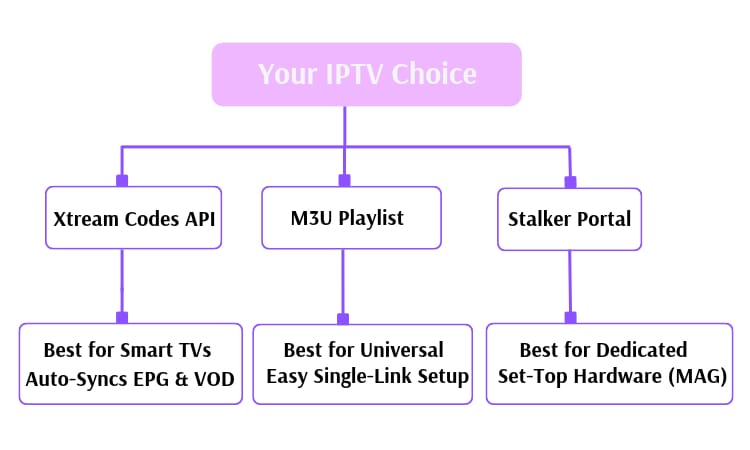
Navigation Speed: Xtream API queries categories individually, so your main app opens much faster than parsing giant M3U files.
Hardware Flexibility: M3U links and Xtream logins let you switch between smart TVs, tablets, and phones freely. Stalker portals lock your account strictly to a single registered MAC address.
Looking for the Streaming Experience?
Related Content
Looking for the Streaming Experience?
FAQ
Yes, if your M3U link contains a server URL, username, and password embedded inside it. You can extract those three parts and type them into an Xtream API login screen.
Xtream Codes API works best for streaming sticks and smart TVs. Modern apps like TiviMate or IPTV Smarters build clean layout menus and load program guides automatically with API details.
Check if your registered MAC address matches your active account credentials. Because Stalker ties directly to hardware network IDs, changing devices or app settings will block server access until updated.